
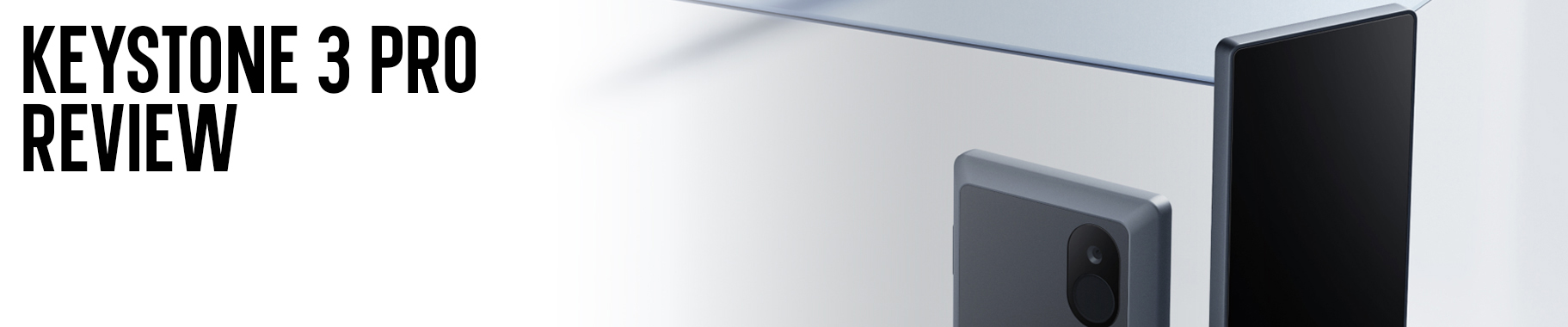
Keystone’s entry into the premium hardware wallet market began with the 3 Pro in 2023. At the time, it brought a smartphone style design to cold storage. They originally launched as Cobo Vault back in 2018, before rebranding to Keystone. The Hong Kong based company has built its reputation on military grade security and open-source transparency. The 3 Pro represents their most refined product yet. It merges a massive 4-inch color touchscreen with triple Secure Element chips, and a fully air-gapped architecture.
While competitors such as Ledger and Trezor have dominated the hardware wallet conversation for years, Keystone carved out a different path. The 3 Pro is built for users who refuse to compromise on security. For those who prioritize air-gapped QR code transactions and open-source code, over the convenience of USB or Bluetooth connectivity.
This review does its best to break down whether the Keystone 3 Pro delivers on its premium promises. Or if its trade-offs make competitors a better fit for your portfolio.
Key Takeaways
- Triple Layered Security Architecture: The Keystone 3 Pro uses three Secure Element chips (Microchip ATECC608B, Maxim DS28S60, Maxim MAX32520). Providing hardware level protection for both recovery phrases and biometric data. This triple-chip design is unique in the hardware wallet market.
- 100% Air-Gapped by Design: Transactions are signed exclusively via QR codes or microSD card. With zero USB data transfer, Bluetooth, WiFi or NFC connectivity. This essentially eliminates wireless attack methods entirely, though it sacrifices some convenience.
- One of the Largest Screens Available: The 4-inch color touchscreen (480 x 800 pixels), offers excellent visibility for transaction verification. Reviewing addresses, amounts and contract interactions. Is significantly easier compared to wallets with 1-2 inch displays.
Hardware & Build Quality

When in hand, the Keystone 3 Pro feels quite solid and essential. Weighing in at 103 grams and measuring 62.44 x 103.99 x 12.08 mm. The device is noticeably larger than most hardware wallets on the market. For reference, it’s more than twice the size of a Ledger Nano S Plus and significantly bulkier than a Trezor Safe 3. While the casing is constructed from durable polycarbonate (PC) and Acrylonitrile Butadiene Styrene (ABS). The overall size makes it less convenient, for daily use in your pocket.
One of the 3 Pro’s main features is the large 4-inch color touchscreen that dominates the front panel. This is actually one of the largest displays you’ll find on a hardware wallet. It’s even slightly bigger than the Ledger Stax. The screen uses IPS technology with a resolution of 480 x 800 pixels. This helps to deliver crisp text and vibrant colors, similar to a smartphone. When using 50% brightness or higher. Everything from transaction details to recovery phrase words is quite easy to read. The touchscreen responsiveness is fairly accurate and comparable to mid-range smartphones. Overall, the interface feels quite solid and secure rather than unconventional and sluggish.
The device uses a single power button on the top right, a microSD card slot on the middle left (spring-loaded mechanism), and a USB-C port on the bottom for charging. On the back is a combination fingerprint reader and camera for QR code scanning. While the layout mirrors what you’d find on almost any modern smartphone. This familiarity is actually a strength. The familiar and conventional design means the device is as intuitive to use, as the phone you’ve been carrying for years.
A design choice worth noting is the non-removable 1,000 mAh battery. While smartphones also use sealed batteries, hardware wallets experience different usage patterns. It’s common for cold storage devices to sit in safes for weeks or months at a time, often in less than ideal temperatures. Lithium-ion batteries hate extended periods of inactivity, especially when stored at very low or very high charge levels. Keystone claims the battery can maintain its charge for 12-18 months while powered off, and they’ve implemented auto-shutdown features to preserve longevity. However, for long term holders (10+ years), the sealed battery could become a failure point. A removable battery design like the Foundation Passport, would have been preferable for true decade long durability.
The power button is quite sturdy and well aligned, while the USB-C port feels tight with no wobble. However, the microSD card cover looks as though it could break off, after several years of repeated use. Overall we feel the build quality is strong, though the plastic back doesn’t have the premium feel of metal bodied wallets like the Passport. Although, it is comparable to most competitors in its price range.
Note: Keystone 3 Pro, when purchased as a bundle. Ships with recovery seed cards (multiple languages), a USB-C cable and user manuals. The packaging is tamper evident and can be used as a desk shelf, which is a nice addition.
Connectivity & Security
The Keystone 3 Pro’s security features are where the device makes its boldest departure from competitors. Connectivity is deliberately minimal. USB-C for charging and data transfer (firmware updates only). With absolutely no Bluetooth, WiFi, NFC, or wireless features of any kind. By design, this is a fully air-gapped device that communicates exclusively through QR codes and microSD cards.
The foundation of the wallet’s security is its triple Secure Element architecture. Most hardware wallets use one SE chip, some use two (like the Trezor Safe 7), but Keystone uses three:
- Microchip ATECC608B: Provides hardware-level security and authorization for recovery phrases.
- Maxim DS28S60: Acts as a trusted platform module for secure seed storage.
- Maxim MAX32520: A secure microcontroller unit (MCU) that protects fingerprint data with encrypted flash storage.
It’s worth clarifying that only two of these chips are used to secure your private keys. The third chip (MAX32520) is dedicated exclusively to fingerprint authentication, if you choose to enable that feature. This multi-chip approach ensures that even if one SE is somehow compromised. Your seed remains protected by the remaining architecture.
Beyond the Secure Elements, the Keystone 3 Pro includes PCI-grade tamper resistance with a self-destruct mechanism. If someone attempts to physically open the device to extract your seed. The wallet will detect tampering and wipe its contents. Tamper evident seals on the packaging, help to provide additional supply chain attack protection. Moreover, when you first power on the device, it walks you through a verification wizard to confirm the device’s authenticity.
For recovery, the Keystone 3 Pro supports both standard BIP-39 seed phrases (12 or 24 words) and the more advanced SLIP-39 standard (Shamir Secret Sharing). Shamir Backup allows you to split your recovery seed into multiple parts (eg. 3 of 5 shares required for recovery). Which can add serious resilience against loss or theft. The device also supports an optional passphrase (often called a 25th word), which generates a completely separate hidden wallet. This provides plausible deniability, if you’re ever forced to unlock your device under duress. You can show a “decoy” account with minimal funds, while your main savings remain hidden.
One unique capability is the Keystone 3 Pro’s support for up to three separate recovery phrases. With each one protected by different passwords. This makes it ideal for users managing multiple crypto accounts or portfolios, without needing to buy three separate hardware wallets. Each set of recovery phrases is cryptographically isolated. This way, even if one wallet is compromised, the others remain secure.
Additionally, similar to the KeepKey. The Keystone 3 Pro’s PIN protection, uses randomized on screen entry to prevent keylogging. Every time you enter your PIN, the number layout changes. This pretty much makes it nearly impossible for malware to determine your actual code. All firmware is fully open-source (MIT License) and reproducible. You can even independently verify the firmware you’re installing, by calculating its SHA256 checksum directly on the device. Then comparing it to the official hash on Keystone’s website. This level of transparency is rare and quite impressive. (1, 2)
Keystone Nexus & User Experience
The Keystone 3 Pro doesn’t operate on its own. Until recently, one of the biggest criticisms of the device. Was the lack of a proprietary companion app, such as Ledger Live or Trezor Suite. However, Keystone has since launched Keystone Nexus, a software wallet designed specifically for the 3 Pro. This app allows you to send, receive and swap crypto. It’s equipped with a clean and intuitive interface, while keeping your private keys offline on the hardware device.
Where the hardware really shines is how the 4-inch screen integrates with the software. Verifying transaction details is far easier on this massive display compared to smaller screens. You can see entire Bitcoin addresses without scrolling, review smart contract interactions in detail, and confirm amounts with confidence. Everything is quite visible at a glance, which significantly reduces the chance of approving a malicious transaction.
Daily management is designed around air-gapped security. The Keystone 3 Pro uses QR codes to sign transactions. Here’s pretty much how it works. You create a transaction in your software wallet (like Keystone Nexus or MetaMask), export it as a QR code, scan the QR code with the hardware wallet’s camera, review and approve the transaction on the device screen, then the wallet generates a second QR code containing the signed transaction. Finally, you scan this second QR code back into your software wallet and broadcast it. This “see on device, sign on device” workflow drastically reduces phishing risk, as even a compromised computer can’t execute unauthorized transactions.
If you’re using the Bitcoin-only firmware, you can also sign transactions via microSD card instead of QR codes. This feature is coming to the Multi-Coin firmware soon. Keystone also supports transaction signing via USB cable (data transfer), but this feature is still in development.
One of Keystone’s standout features is its official partnership with MetaMask. Keystone is the only air-gapped hardware wallet officially integrated with MetaMask mobile. Additionally, it also works seamlessly with the MetaMask browser extension. This allows seamless interaction with DeFi protocols, NFT marketplaces, and Web3 dApps across all EVM-compatible chains (Ethereum, Polygon, Fantom, Arbitrum, Optimism, etc.). The integration is QR code based, helping to ensure your private keys never leave the secure hardware environment.
Beyond MetaMask and Keystone Nexus, the 3 Pro supports 35+ third-party software wallets, including:
- Sparrow Wallet (Bitcoin multisig and advanced features)
- BlueWallet (Bitcoin-focused mobile wallet)
- OKX Wallet (70+ chains supported)
- Solflare (Solana DeFi)
- Phantom (Solana DeFi)
- Keplr (Cosmos ecosystem)
- Rabby, Nunchuk, Eternl, THORWallet, UniSat, and many more
This extensive compatibility means you can manage almost any blockchain, from a single hardware device. However, it also means you’ll likely need multiple software wallets to handle different assets. Which can feel somewhat fragmented when compared to Ledger’s all-in-one Live experience.
At the end of the day, the Keystone 3 Pro and its software ecosystem are built for secure and deliberate asset management. It’s optimized for long-term holders and DeFi power users, not so much high-frequency traders. The process of physical QR code verification. Add moments of thought which make it ideal for safeguarding a core portfolio. (3)
Coin Support & App Capacity
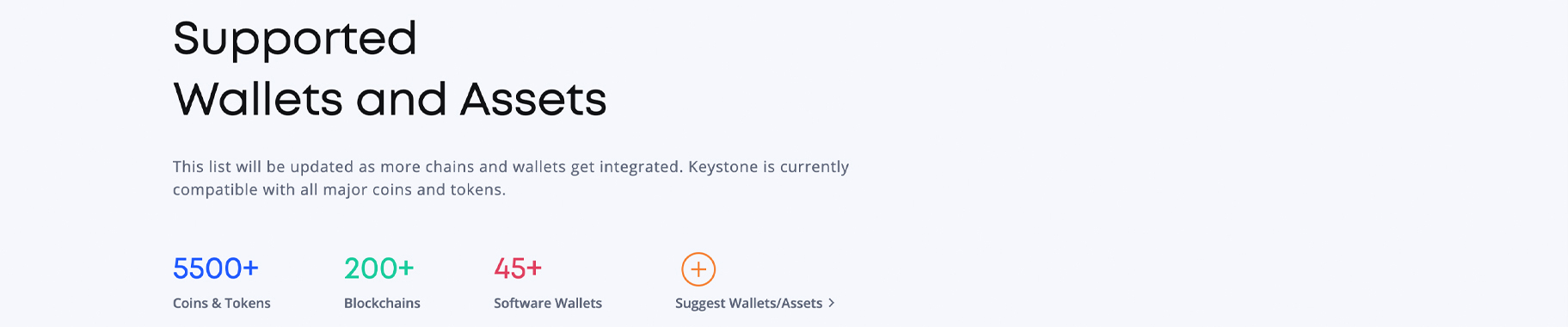
The Keystone 3 Pro takes a fairly wide approach to asset support. It currently supports over 5,500 digital assets across more than 350 blockchains. This includes all major blue-chip cryptocurrencies such as; Bitcoin (BTC), Ethereum (ETH), Solana (SOL), Cardano (ADA), XRP, Litecoin (LTC), Dogecoin (DOGE) etc. It also includes a vast array of ERC-20 tokens, NFTs and DeFi assets.
An important advantage is universal coin management. Unlike some competitors that require you to install and juggle individual blockchain apps, with limited storage (like Ledger). The Keystone 3 Pro handles all supported assets through its unified firmware. There are no storage limits or app installations. Depending on the firmware chosen at setup, almost every supported coin is available simultaneously. This means you won’t face the frustrating decision of uninstalling one blockchain app, to make room for another.
However, Keystone’s approach to coin support differs significantly from competitors like Ledger. Ledger Live provides a seamless, all-in-one experience for managing thousands of assets. With native support for staking, swapping, and DeFi integrations built directly into the app. Keystone on the other hand, relies entirely on third-party wallet integrations. This means you will need to use different software wallets, depending on which assets you’re managing. For example, you might use Sparrow for Bitcoin multisig, MetaMask for Ethereum DeFi, Solflare for Solana, and Keplr for Cosmos ecosystem assets.
Another area where Keystone falls short compared to Ledger is its native staking capabilities. Ledger Live supports staking for several assets (ETH, SOL, DOT, ATOM, etc.) directly within its app. This allows users to earn yield without leaving the interface. Unfortunately Keystone lacks this native staking feature. If you want to stake, you’ll have to do it through third-party wallets and protocols. Which requires additional setup and familiarity with DeFi platforms.
In the end. Depending on the firmware you choose when setting up the device. The Keystone 3 Pro is built for the long-term holder with a diversified portfolio, who doesn’t mind managing multiple software wallets. It covers the vast majority of mainstream coins quite seamlessly. Plus, its open architecture means you’re never completely locked out of newer or niche networks. However, if you want the convenience of managing everything from a single app with built-in staking and swaps. Ledger’s ecosystem is more suitable. (4, 5)
Note: If you switch from Ledger to a Keystone 3 Pro, you can qualify for 20% off your purchase.
Keystone 3 Pro vs. Trezor Safe 3 vs. Ledger Nano X

The Keystone 3 Pro is currently priced at $149 USD. Its balanced between premium security features and accessibility. Below is a comparison of the device, versus some of the competitors in its class.
Vs Trezor Safe 5
Choosing between the Keystone 3 Pro and Trezor Safe 5. Kind of compares to choosing between air-gapped QR code security, and modern touchscreen convenience. The Trezor Safe 5, priced at $169 USD, offers a Secure Element chip (EAL 6+), a 1.54-inch color touchscreen (with haptic feedback), and Gorilla Glass 3 protection. It supports over 7,000 assets through the Trezor Suite. Along with seamless USB-C connectivity and optional MicroSD PIN encryption. The Keystone counters this with a much larger 4-inch touchscreen, triple Secure Element chips, and a fully air-gapped QR code design. However, the Safe 5 does integrate more smoothly with Trezor Suite’s interface. It’s also more compact at 23 grams versus Keystone’s 103 grams. Go with the Safe 5 if you want responsive touchscreen controls, direct USB workflow, and the all-in-one Trezor Suite management. Choose the Keystone 3 Pro if you prioritize air-gapped security, a big display for transaction verification, and triple chip protection.
Vs Ledger Nano X
This matchup places open-source transparency against ecosystem convenience. The Ledger Nano X is currently priced around $149 USD. It offers Bluetooth connectivity for mobile use, a proprietary Ledger Live app that manages thousands of assets in one place, and native staking for many coins. However, Ledger’s firmware is closed-source. Its history also includes a major customer data breach in 2020. As for the Keystone 3 Pro, its 100% open-source (MIT License), fully air-gapped, and has a screen that’s 4x larger than the Nano X’s small display. The trade-off? You’ll need multiple third-party wallets to manage your assets, and there’s no native staking. Go with Nano X if you want Bluetooth, all-in-one management and built-in staking. Choose the 3 Pro if you value open-source code, air-gapped security, and a larger screen for transaction verification.
Vs COLDCARD Mk4
This is a clash of philosophies. Air-gapped touchscreen usability vs. hardcore Bitcoin-only paranoia. The COLDCARD Mk4, currently priced at $129.94 USD, is a Bitcoin-only device (with Liquid asset support). It offers NFC, Seed XOR, and a suite of advanced security features. These include duress PINs and brick-me PINs. The device has a monochromatic OLED screen and a full 12 key numeric keypad. The Keystone 3 Pro offers multi-chain support, a 4-inch color touchscreen, and fingerprint authentication. Essentially making it far more user friendly. However, the COLDCARD is source-available (not fully open-source) and has no camera or battery. Go with COLDCARD if you’re a Bitcoin maximalist who wants ultra-paranoid security features. Choose Keystone if you hold multiple assets, and want a modern touchscreen experience with air-gapped security.
Strengths & Limitations
While the Keystone 3 Pro performs well as a premium hardware wallet. It makes specific trade-offs between security, convenience and ecosystem support.
Strengths:
- Triple Secure Element Architecture: The Keystone 3 Pro’s core strength is its unique three-chip design. With two Secure Elements protecting your recovery phrases and a third securing your fingerprint data. It uses a multi-chip security architecture for layered protection, that not many other wallets can match. This architecture is overkill for most users, but it’s a significant advantage for those managing large portfolios or institutional holdings.
- 100% Air-Gapped Design: By eliminating USB data transfer, Bluetooth, WiFi and NFC entirely. Keystone pretty much removes entire categories of attack vectors / methods. The QR code and microSD card signing process is more inefficient than plugging in a cable, but it’s objectively more secure. For DeFi users interacting with smart contracts or NFT collectors signing transactions on potentially compromised computers, this air-gapped approach is invaluable.
- Large Screen, Visible Transaction Verification: The 4-inch color touchscreen is a game-changer for usability. You can see entire Bitcoin addresses without scrolling, review smart contract interactions in detail, and confirm transaction amounts with confidence. This dramatically reduces user error and makes phishing attacks far less effective.
- Fully Open-Source (MIT License): Everything from the firmware to the hardware design, is publicly available and reproducible. You can independently verify that the code running on your device, matches what’s published on GitHub. This level of transparency is the gold standard for crypto wallets and is a rarity in the hardware wallet market.
Limitations:
- No Native Staking Support: This is one of the biggest functional weaknesses. If you want to stake ETH, SOL, ATOM, or any other asset. You’ll need to use third-party wallets and DeFi protocols. Ledger Live offers one click staking for many assets directly in the app, which is far more convenient. For active DeFi users, this is a significant limitation.
- Non-Removable Battery: At 1,000 mAh, the sealed battery is a potential long-term point of failure. While Keystone claims it can maintain charge for 12-18 months while powered off. Lithium-ion batteries degrade over time. Especially when stored in non ideal conditions. For users planning to hold crypto for 10+ years, this could become an issue. A removable battery design (found on previous models) might have been more preferable.
- Bulky & Heavy: At 103 grams and 62.44 x 103.99 x 12.08 mm, the Keystone 3 Pro is significantly larger than most competitors. It’s not really pocket friendly, and can feel clunky when compared to sleek devices such as the Ledger Nano X or Trezor Safe 5. If portability is a priority, this isn’t really the wallet for you.
- Fragmented Software Experience: Unlike Ledger Live, which manages all your assets from one app. Keystone requires multiple third-party wallets. You might use Keystone Nexus for general management, MetaMask for Ethereum DeFi, Solflare for Solana, and Sparrow for Bitcoin multisig. This fragmentation does work but isn’t as polished as a unified experience.
Final Thoughts
The Keystone 3 Pro is a premium hardware wallet that delivers exceptional security and usability. It’s fully open-source, has a massive touchscreen, and features a unique triple Secure Element architecture. For DeFi power users, NFT collectors, and multi-chain investors who prioritize air-gapped security and transparency. The 3 Pro is an excellent choice.
However, it’s not the right wallet for everyone. If you’re an active trader who wants one click staking from a unified app. Ledger’s ecosystem is more down your alley. If you want ultra secure touchscreen portability, the Trezor Safe 5 is comparable in price and far more compact. However, if you’re a Bitcoin maximalist who doesn’t need a touchscreen or multi-chain support. The COLDCARD Mk4 offers more security features the Keystone lacks.
For users managing $1,000+ in crypto who value transparency, large display verification and absolute air-gapped security. The Keystone 3 Pro is worth the $149 USD investment. Just be aware of its trade-offs. No native staking, a fragmented software experience, and a non-removable battery that could become an issue after a decade of storage.
To learn more information about the Keystone 3 Pro and how to purchase, click here ($149 USD). Looking to customize your Keystone 3 Pro? Click here for more info.
Or, navigate back to the homepage here.
FAQ
1. Accidentally Skipped Device Authentication During Setup / How Many Times Can I Verify?
You can skip Device Authentication during setup. If you need to verify it later, simply tap the Scan button on your Keystone device. There is no limit to how many times you can run this verification.
2. Are air-gapped hardware wallets 100% secure?
While air-gapped wallets do offer top tier security, they aren’t 100% perfect. There is a slim window of vulnerability during data transfers. The initial setup can be a bit challenging for beginners, and the weight of responsibility falls entirely on you to protect your private keys. Lose those and your funds are technically gone for good.
View Sources +
References:
- Keystone, Keystone 3 Pro, Keystone Wallet | Secure Open Source Crypto Solution, retrieved from: https://keyst.one
- Keystone, What is Air-gapped crypto wallet? Why Air-gapped?, retrieved from: https://blog.keyst.one/what-is-air-gapped-crypto-wallet-why-air-gapped
- Keystone, Keystone Nexus: Simple & Secure Software Wallet for Crypto, retrieved from: https://keyst.one/nexus
- Keystone, Supported Wallets and Assets, retrieved from: https://keyst.one/supported-wallets-and-assets
- Keystone, Keystone 3 Pro Guide, retrieved from: https://guide.keyst.one/docs/category/keystone-3-pro
- Keystone, About the Company, retrieved from: https://keyst.one/about-us
Hide Sources -
Page Last Reviewed / Updated: 09-March-2026