
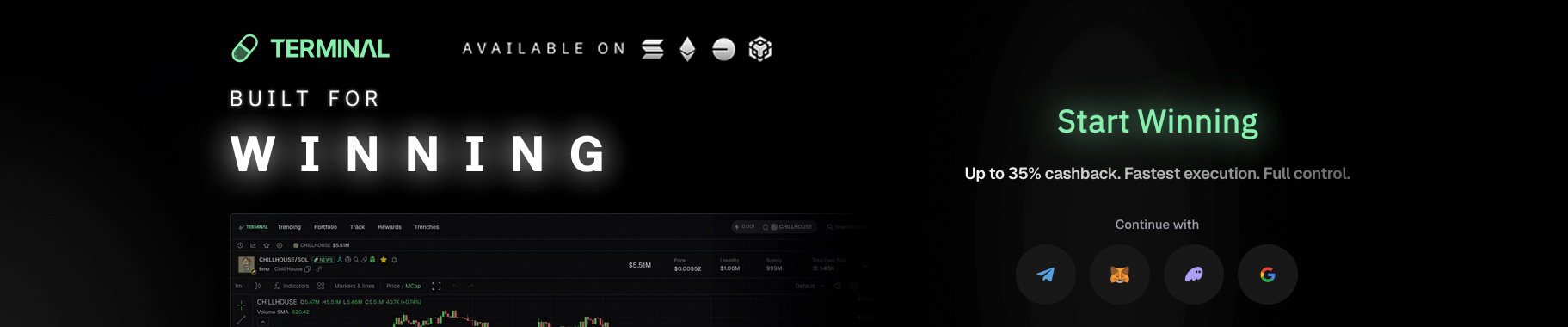
Terminal is a multi-chain trading platform, built for those looking to move fast. It’s designed for traders who want speed, precision and flexibility, without sacrificing simplicity. Recently acquired by Pump.fun, Terminal has quickly attracted attention for how closely it mirrors platforms like Axiom Trade and GMGN, while also introducing unique tools and refinements that make it stand out.
While Axiom remains one of the most recognized names in this space, due to its dominance in fee based trading / rewards. Terminal shows that a new generation of platforms is not only catching up, it’s innovating where it counts. From smoother cross-chain access to better layout customization and trader first features. Terminal is quietly positioning itself as a faster and more intuitive alternative for advanced users.
Key Takeaways
- Lightning fast cross-chain execution. Terminal delivers ~300 ms fills across Solana, BNB, Base and Ethereum. Giving traders near instant performance and broader reach than most competitors.
- Powerful wallet tracking and customization. Track up to 10,000 wallets and visualize buys / sells directly on charts or in notifications. Fully customize your layout for total control and clarity.
- Generous fee cashback & mobile flexibility. Earn 35 % cashback on fees and use Terminal as a PWA that installs like an app. It’s fast, lightweight, and optimized for trading anywhere.
What Is Terminal?
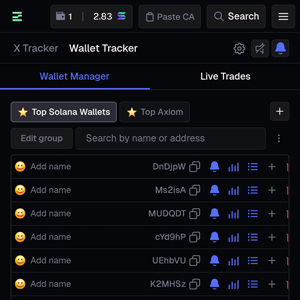 Terminal operates as a progressive web app (PWA). This essentially means, you can install it directly from your browser. Onto the home screen of your mobile device, and use it just like a native application. This is a major advantage for traders who prefer lightweight setups, without relying on third-party apps.
The interface immediately feels familiar if you’ve used Axiom before. However, Terminal offers a noticeably more fluid design. Everything is organized for quick access such as; token searching, order panels, tracking and social data integrations. It also loads quite fast, both on mobile and desktop.
Under the hood, Terminal supports four major chains: Solana, BNB Chain, Base and Ethereum. Immediately giving it a broader reach than Axiom currently offers. Not only that, but execution / fill speeds average around 300 milliseconds. This is noticeably faster than the ~500 ms reported on Axiom, which is impressive when trading during high volume token launches. (1)
Core Features
Terminal combines a modern trading layout with tools designed to simplify complex execution. Whether you’re managing multiple wallets, sniping early entries or refining your exit strategies. Terminal’s architecture is built to keep you one step ahead. The interface feels both familiar and fresh, lightweight yet powerful. With responsive elements that adjust to your pace instead of slowing it down. In short, it delivers a streamlined experience that puts control, clarity, and consistency at the center of every trade.
- Cross-Chain Support: Trade seamlessly across Solana, BNB, Base and Ethereum, without switching platforms. Multi-chain compatibility keeps everything unified under one interface, for faster access and broader market coverage.
- Trailing Stop Loss: Protect gains with a stop loss that moves as price climbs. Terminal’s trailing logic adjusts automatically, keeping you close to profits while reducing risk during market swings.
- Inferno Mode: Optimize transaction speed through dynamic gas adjustment. Inferno Mode sends multiple routes at once and executes the fastest. Keeping fills consistently under 300 ms during high volume activity.
- Wallet Tracking: Monitor up to 10,000 wallets and see each buy or sell plotted directly on charts. Includes filters to isolate dev, wallet, or personal trades for instant visibility and copy trade precision. You also have the ability to group wallets together.
- Alpha Tracker: Aggregates calls from paid alpha groups in your layout, and can display them directly on your chart. Lets you see when a call was made and how it influenced price. Combining sentiment and on-chain data in one view.
- Clipboard Contract Detection: Copy any message containing a contract address and paste it in Terminal. It will auto detect the CA instantly. Saves time when chasing early launches or scanning Telegram and Twitter for the ECA.
- Customization: Adjust almost every part of the interface. From columns and charts to panels. Move, resize or hide elements. Create a personalized trading layout that matches your workflow.
- Fee Cashback & Referral: Earn 35 % cashback on trading fees through invite codes. A generous incentive that cuts costs over time, compared to standard 10 % fee rewards seen on similar platforms.
- PWA / Mobile App: Terminal functions as a progressive web app you can install directly from your browser. Works like a native app on mobile or desktop, offering full functionality anywhere, without app store downloads.
- Buy-the-Dip Orders: Set a specific drop percentage where Terminal automatically re-enters the market. A simple yet automated way to catch rebounds and accumulate at better prices, without constantly monitoring charts.
Who Is Terminal Built For?
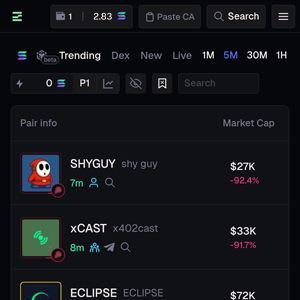 Terminal is a multi-chain trading app for people who want to move fast and save on fees. It’s tuned for spot first execution, wallet visibility, and clean customizable layouts.
- Memecoin traders who need fast entries / exits and chart-level wallet overlays.
- Daily spot traders who want quick TP / SL, buy-the-dip, and trailing stops.
- On-chain degens who jump between SOL / BNB / Base / ETH and prefer one interface.
- Wallet watchers & copy-list users who track smart money and filter dev / self / tracked trades.
- Mobile-first users who want a PWA with desktop-level control and meaningful fee savings (35% cashback).
In short: if you trade quickly across chains and care about speed, clarity and control. Terminal gives you a tighter and friendlier terminal to work from. (2)
Terminal vs. Other Platforms
| Platform | SOL Cashback | Fill Speed | Fastest Charts | Tracked Wallets | Instant X Tracker | Mobile App | Trailing Stop Loss | Custom Color Schemes |
|---|---|---|---|---|---|---|---|---|
| Terminal | 35% | ≈ 300 ms | ✔ | 10,000 | ✔ | ✔ (PWA) | ✔ | ✔ |
| Axiom Trade Pro | up to 25% | ≈ 500 ms | – | 10,000 | ✔ | ✔ (Web App) | ✔ (perps) | ✔ |
| GMGN.ai | – | – | – | 2,000 | ✔ | ✔ (Mobile + Web) | ✔ | – |
| Photon | – | ≈ 500 ms | – | 500 | ✔ | – | – | – (3) |
Terminal offers tools that other trading platforms don’t combine in one place. Axiom and GMGN both serve experienced traders. However, Terminal delivers faster fills, stronger mobile usability and a friendlier interface. While still offering advanced tracking and trade management. When compared to standard DEXs, it simply does more under one roof.
Terminal vs. Axiom
Terminal and Axiom look almost identical at first glance, but they serve slightly different types of traders. Terminal focuses on spot trading with faster fills and a smoother mobile app experience. While Axiom supports spot trading, it also has the ability to trade perpetuals. A feature that Terminal currently doesn’t have. Terminal also works with more chains, something Axiom is yet to provide outside of SOL and BNB. In comparison, Terminal feels lighter, faster and more flexible for day to day trading. Whereas Axiom remains better for users, who prefer more trading options and a less customizable interface.
Terminal vs. GMGN.ai
GMGN is known for wallet tracking, copy trading and automation. The app generally caters to more advanced traders. Terminal sits between beginner and advanced, offering similar wallet tracking capabilities. However, with a cleaner and more intuitive layout. The key difference is fees. Terminal gives up to 35 % back on trading fees when joining with an invite code, while GMGN doesn’t offer any discount. Both platforms perform well, but Terminal’s speed, layout, and cost advantage. Make it the better app for most spot traders.
Terminal vs. Traditional DEXs
Terminal fills faster and provides far more tools in a single interface, than standard DEXs like Raydium or Jupiter. Beyond basic swaps, it includes built in wallet tracking, stop orders, and cross-chain execution. All from one screen, making it better suited for traders who want both speed and data in the same workspace.
Strengths & Limitations
Terminal brings together an impressive range of tools and design features that make it stand out among trading bots. While Terminal’s performance is impressive, it does come with a few realistic limitations worth noting.
Strengths:
- Exceptional speed: Fills as low as 300 ms, aided by Inferno Mode
- Significant fee savings: 35% cashback with referral code. *one of the highest cashback % on fees.
- Deep customization: Almost every visual element can be adjusted
- Multi-chain flexibility: Solana, BSC, Base and Ethereum all supported
- Built-in sentiment tools: Twitter Tracker and Alpha Tracker keep social data within reach
- PWA structure: Full desktop / mobile parity without needing app store installation
Limitations:
- Automation / Copy Trading Removed: Past documentation referenced an automation system, but the feature no longer appears in the live version, likely due to the Pump.fun acquisition and compliance changes.
- Post-Acquisition Uncertainty: As Terminal transitions under Pump.fun’s ownership, some features or token-related benefits could change. Future development direction is unclear.
- Limited Support Resources: Terminal’s documentation is thinner than competitors like Axiom or GMGN. Users report slower updates or less detailed guides. For newer traders, this learning curve could be steeper than expected. (4)
Referral Program & Fees
Fees matter, especially for active traders. Terminal follows the common 1% transaction fee model that most trading bots use. However, it offers a significantly higher cashback and referral rate.
By signing up through an invite code, you receive 35% cashback on your trading fees, compared to Axiom’s 10%. On top of that, Terminal’s affiliate structure rewards users for bringing in others, creating an incentive loop that can offset trading costs over time. This is actually quite similar to Axiom.
For high-volume traders, this difference is quite substantial. That extra 35% in fee savings, add up quickly across multiple chains and hundreds of trades. (5)
Final Thoughts
Terminal proves that innovation in crypto trading tools isn’t slowing down. If anything, it’s evolving faster than ever. While Axiom remains the standard for structured execution and GMGN dominates the copy trading angle. Terminal blends both social and structured execution, while adding serious technical speed.
With Pump.fun’s backing, Terminal has become the most integrated tool in the ecosystem. No other platform will get access to Pump.fun updates faster, or go deeper on features such as; Mayhem Mode, Creator Fees and Cashback Coins.
For traders who’ve outgrown single chain tools or want something faster, sleeker and more adaptable. Terminal is easily one of the most promising platforms to keep on your radar.
To learn more about Terminal and how you can save 35% off on trading fees, click here. For additional info on Axiom Trade Pro and how it works, click here. Or, navigate here to read our Nova V2 Review, to learn why it’s one of the fastest upcoming trading platforms on the market.
Updates
- Streamflow Integration – View total locked supply, individual locks, lock durations, and a locked supply icon on the holders tab. This is a trust / safety feature that can be big for rug-pull detection.
- Cashback Coins (Exclusive Feature) – Terminal is apparently the only platform where users earn cashback on specific “Cashback Coins” they trade, on top of the existing 35% fee cashback. There’s a claim mechanic directly from the coin page, plus an additional 10% platform cashback on top.
- Creator Fee Sharing – New icon for fee sharing coins. Instantly see revoked update authority and view creator fee recipients and distribution. This is essentially a Pump.fun native integration.
- GitHub Creator Fee Support – View fee recipients, how trading fees are split, and when GitHub-linked contributors claim their share (shown as chart bubbles). Includes Zauth which is a built in GitHub analyzer. It quickly vets a dev’s coding credibility before trading their token.
- Native Dexscreener Integration – Update Dex and crop banners directly inside Terminal. Auto-paste CA/chain/coin image, see pending Dex updates and pay in SOL from balance. This is a full workflow feature that allows devs to manage their Dexscreener presence, without leaving Terminal.
- Mayhem Mode – Terminal has built native tooling around Pump.fun’s Mayhem Mode. This includes a timer identifier, so you know when the 24-hour AI trading window is active. Coin filtering to isolate Mayhem tokens, and chart bubbles that distinguish Agent transactions from real human trades.
- KOL Bars – View KOL average entries and holdings on every chart.
- Live View Counters – See how many traders are watching a chart in real time. View counters added to every coin on the Trenches columns.
- Tracked Markers Customization – Chart bubbles can now be resized, edited and repositioned to the X-axis. This helps to keep your charts clean and readable. You can adjust everything under the new Markers settings section.
- Free Premium Discord Alpha – Framed as exclusive to all Terminal users with no subscription juggling.
FAQ
1. Does Terminal support automated trading or scheduled strategies?
Not in its current version. Earlier documentation mentioned automation, but that functionality appears to have been removed following the Pump.fun acquisition. All trades are executed manually. Though settings such as trailing stops and buy dip orders, still offer semi-automated control.
2. Can I use Terminal without connecting my main wallet?
Yes. You can connect a secondary wallet or a new address for safety. Terminal doesn’t require full custody permissions. You can also sign up through Telegram or Google if you choose. This way you can create a new wallet in the app and deposit funds from your main wallet.
3. Is Terminal suitable for new traders or only advanced users?
While Terminal includes tools professional traders appreciate, its interface is intuitive enough for beginners to navigate. New users can start with basic tracking and spot trading. As your skills develop, explore advanced features such as Inferno Mode, Alpha Tracker and TP / SL.
4. What is Mayhem Mode?
Mayhem Mode is a Pump.fun feature. It’s essentially an autonomous AI trading agent that actively places trades on eligible newly launched coins, for their first 24 hours of existence. The goal is to inject volume and price activity into early stage coins, that might otherwise fade from lack of attention. This gives smaller projects a better chance to break out, without needing a big following or marketing budget.
Read how GMGN differs from Terminal & Axiom Exchange in our full review of the fast trading platform.
To jump back to the homepage, click here.
View Sources +
References:
- Terminal, Your Edge in Memecoin Trading, retrieved from: https://padre.gg
- Terminal, GitBook, About Terminal, retrieved from: https://docs.padre.gg
- Terminal, Post Sign-Up Screen, retrieved from: https://padre.gg
- Terminal, GitBook, FAQs, retrieved from: https://docs.padre.gg/padre-v2/faq
- Terminal, Gitbook, Rewards, retrieved from: https://docs.padre.gg/padre-v2/rewards
- Twitter / X, Terminal, retrieved from: https://x.com/TradingTerminal
- Twitter / X, Terminal, retrieved from: https://x.com/TradingTerminal/status/1981722951520051279
Hide Sources -
Page Last Reviewed / Updated: 12-March-2026